
Handwrite it. Solve it. Cite it. Hand it in.
One notebook for handwriting, PDFs, live math, diagrams and papers, with study tools that run right on your iPad and iPhone.
Free to start. InkSpace Pro is a one-time $9.99 purchase. See pricing
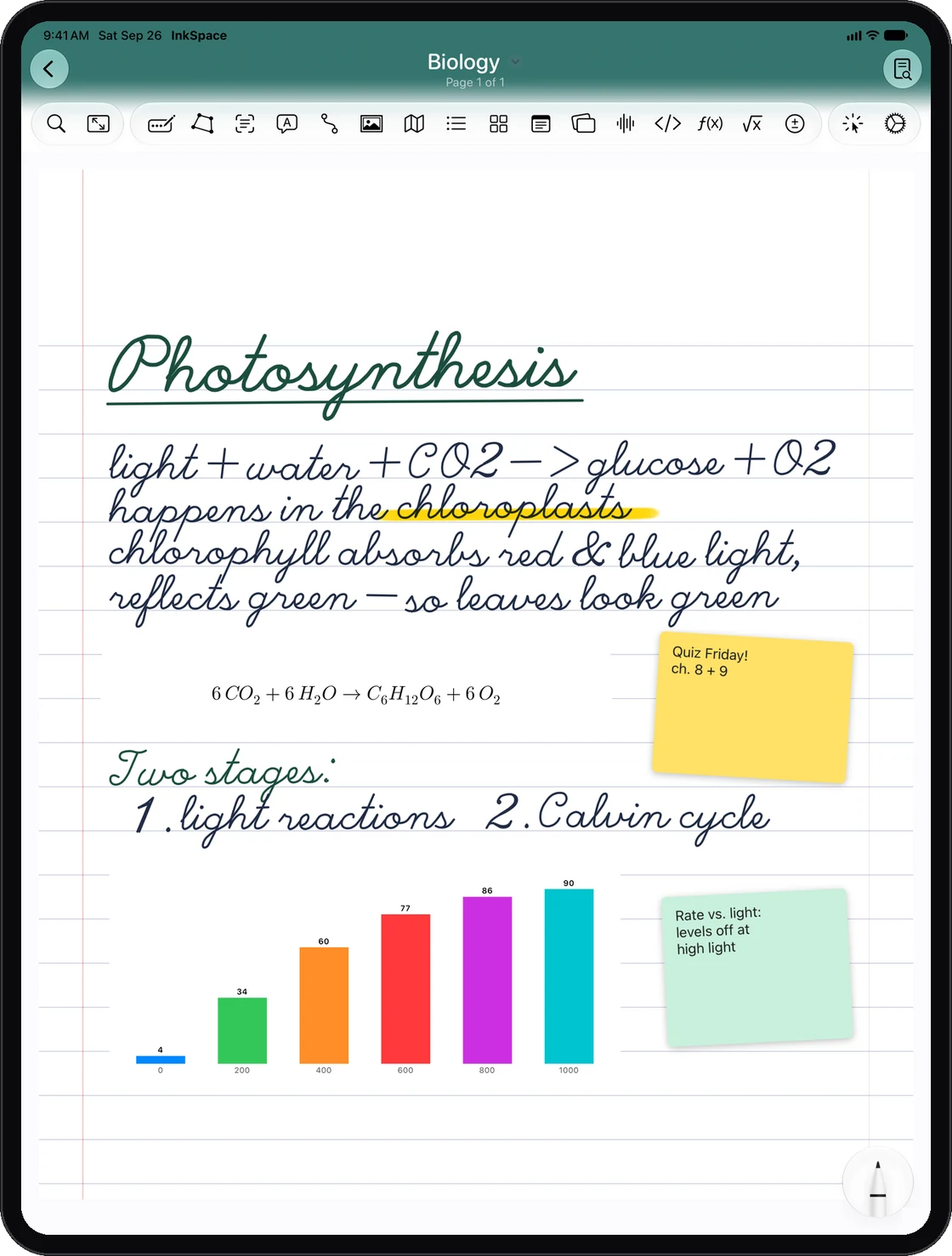
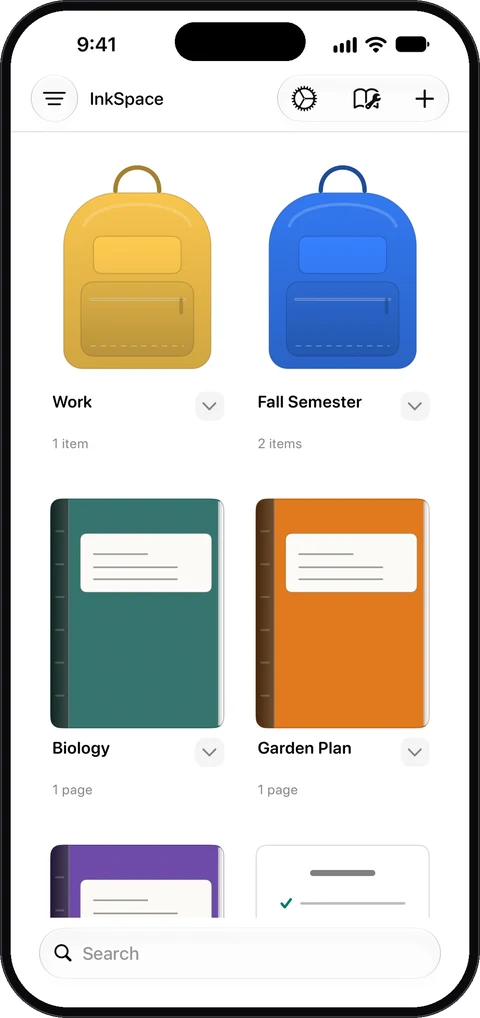 Quiz Friday! Review chapters 8 and 9
Write with Apple Pencil or type. Solve equations, run the numbers, map out ideas and write the paper. Then study it all with AI that never leaves your device.
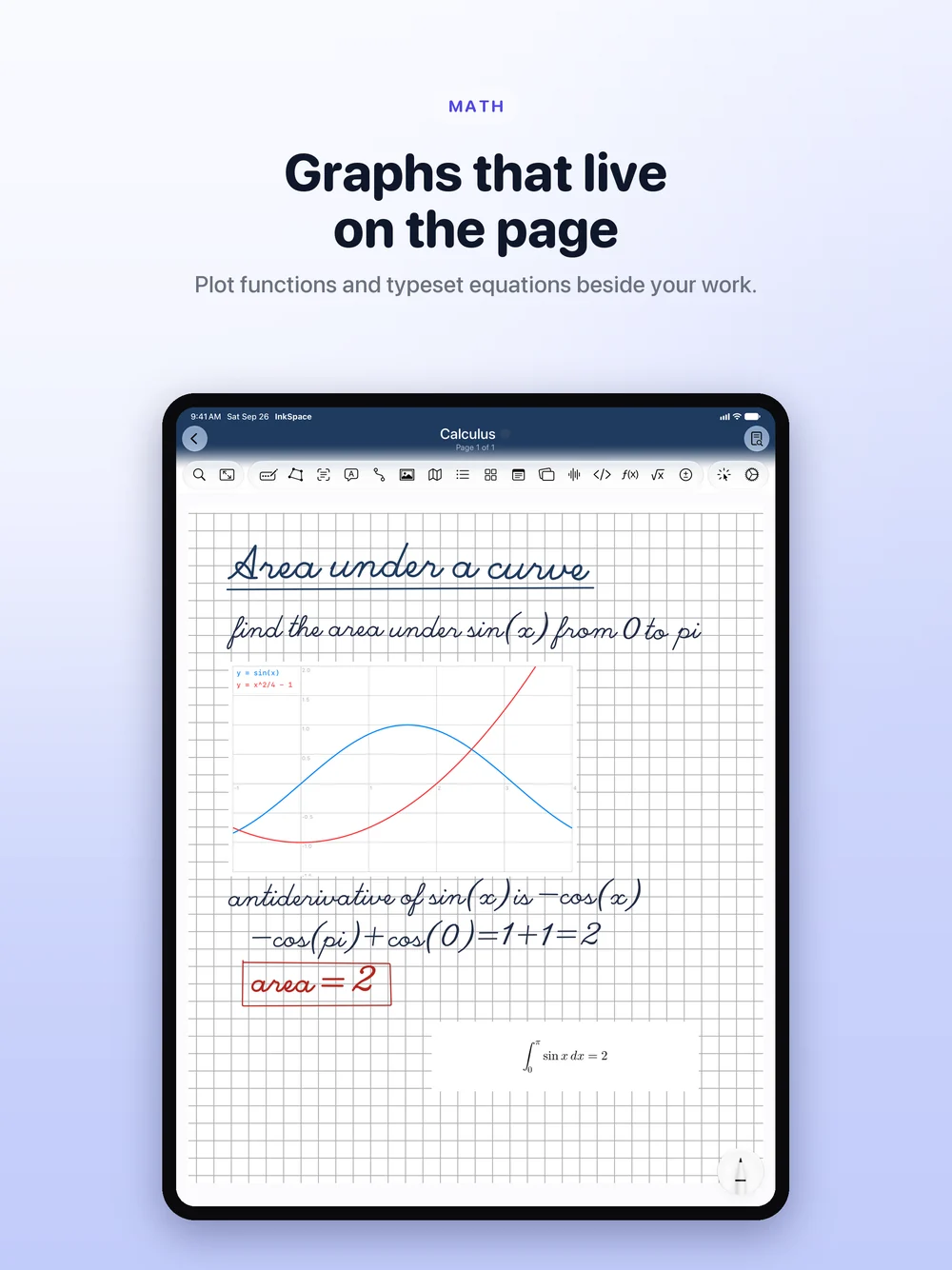
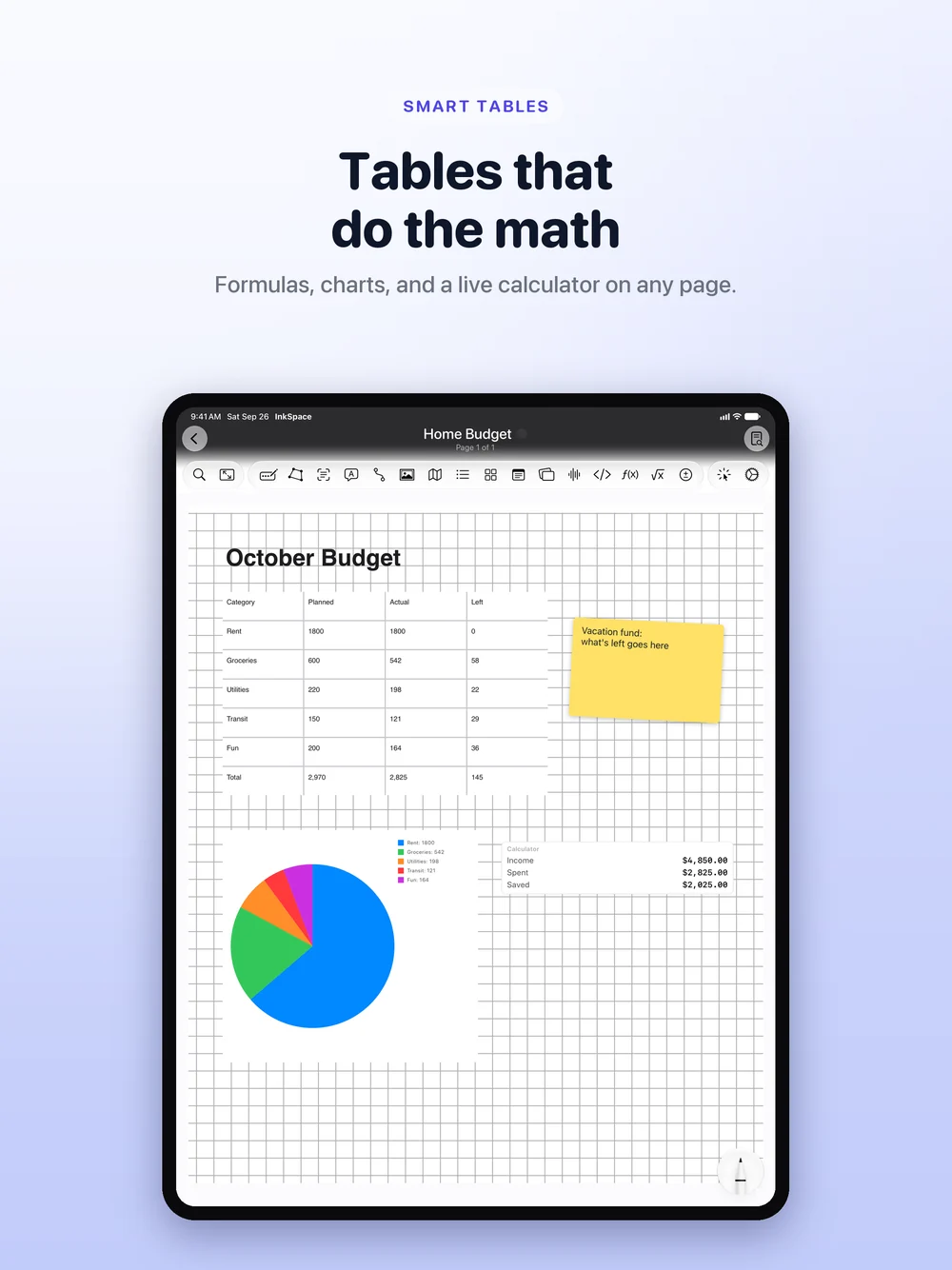
Everything on one page.
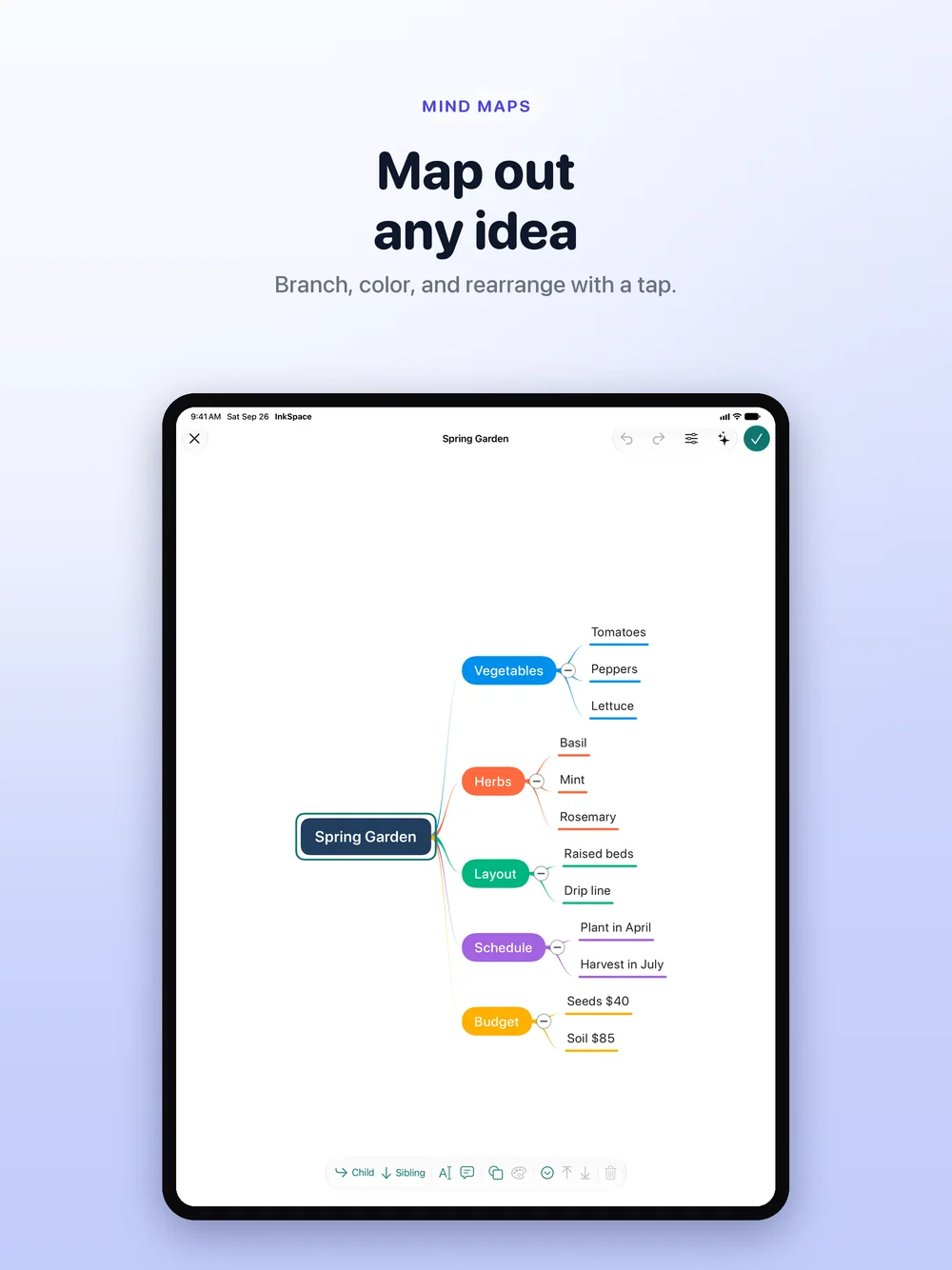
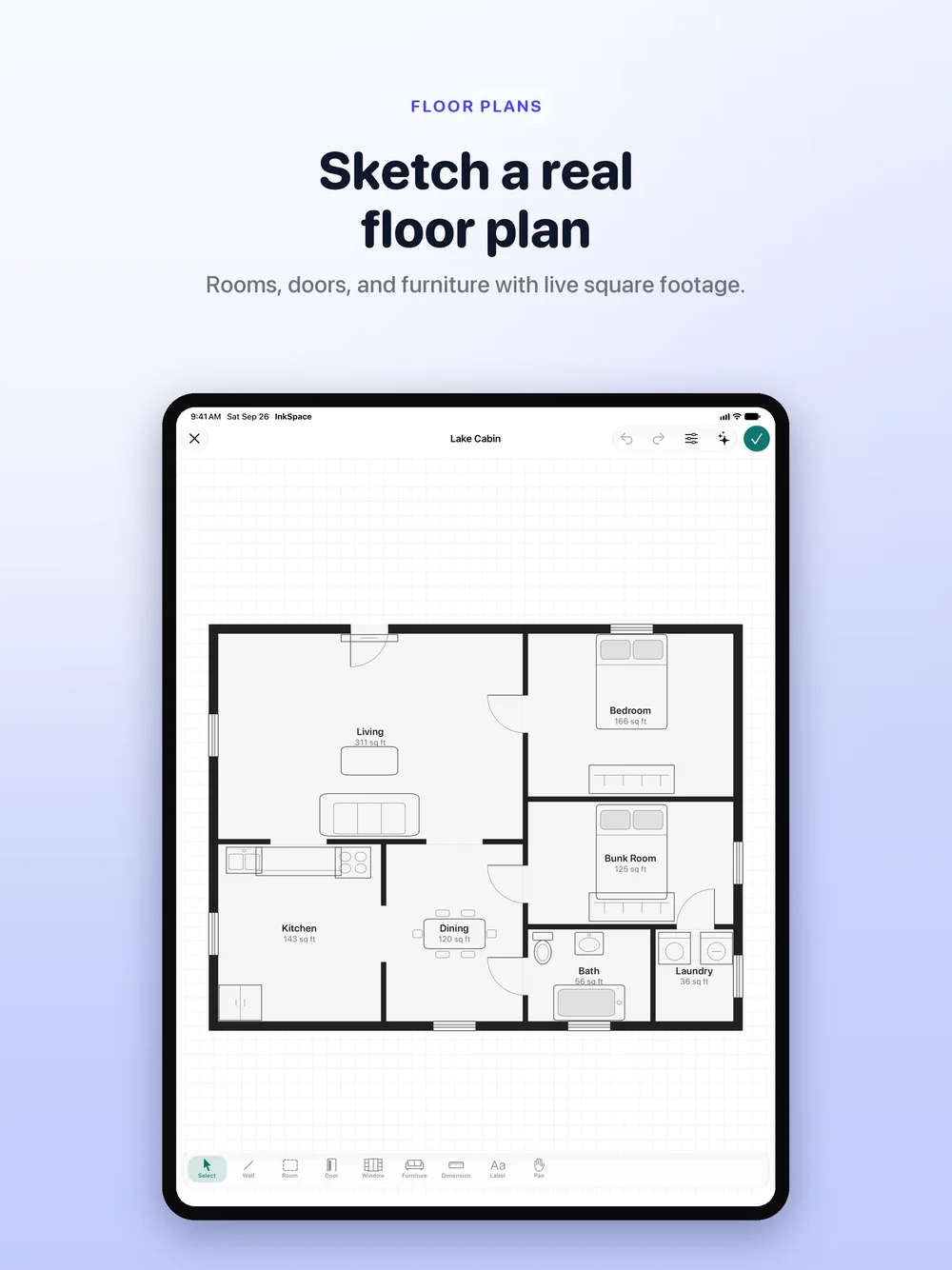
Math, tables, Mind Maps and Floor Plans sit right beside your handwriting.
Search finds your handwriting, too.
InkSpace reads your handwriting on device, so one search finds written and typed notes alike. Spotlight and Siri reach them from the Home Screen.
Study with your own notes.
Answers from what you wrote, not the internet. Quiz Sets and Study Guides built from your notebooks.
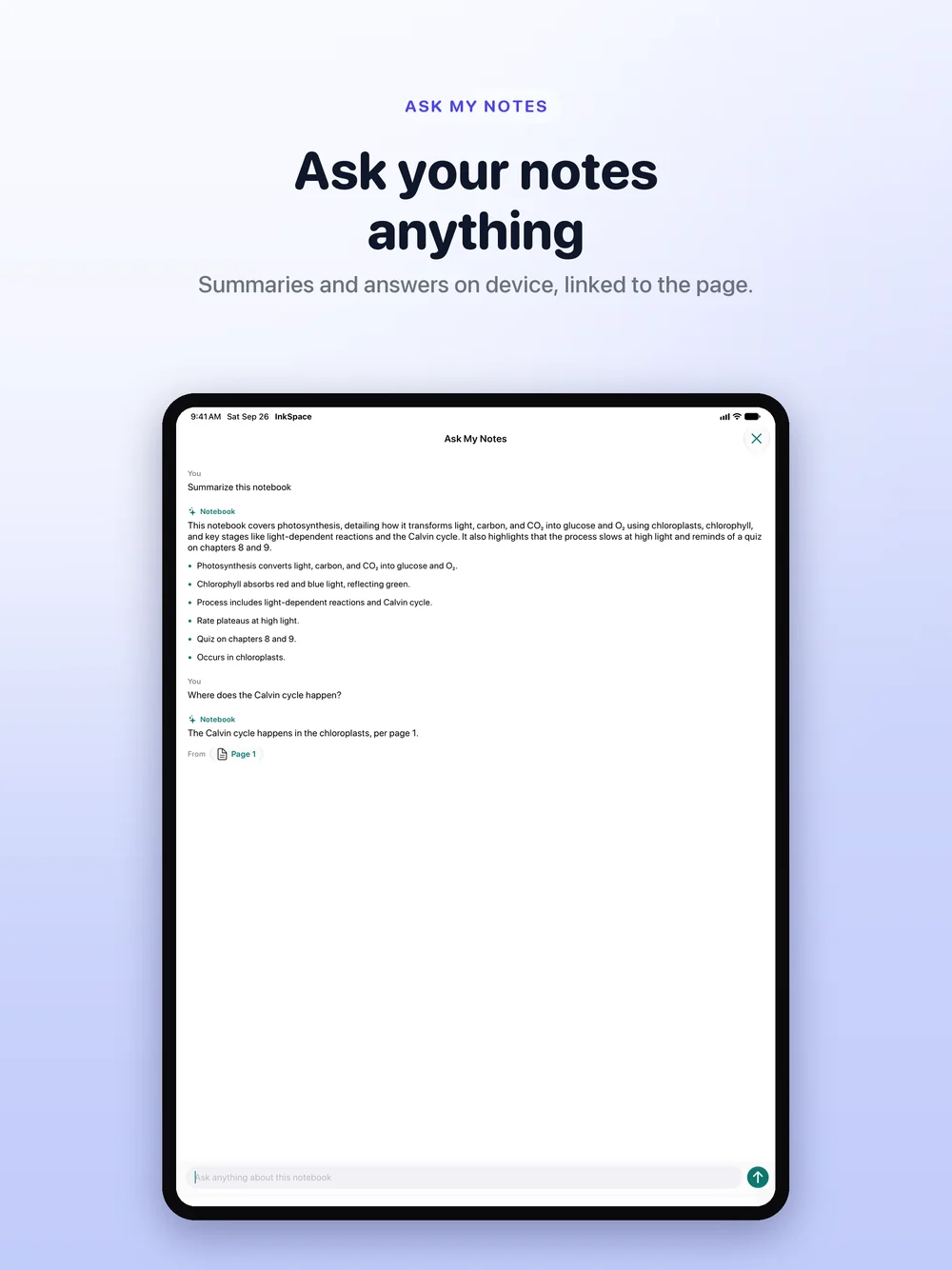
Ask your notes anything.
Ask a question about a notebook and get an answer drawn from your own notes.
- Summarise a whole notebook in seconds
- Chips jump straight to the page an answer came from
- Works with no network at all
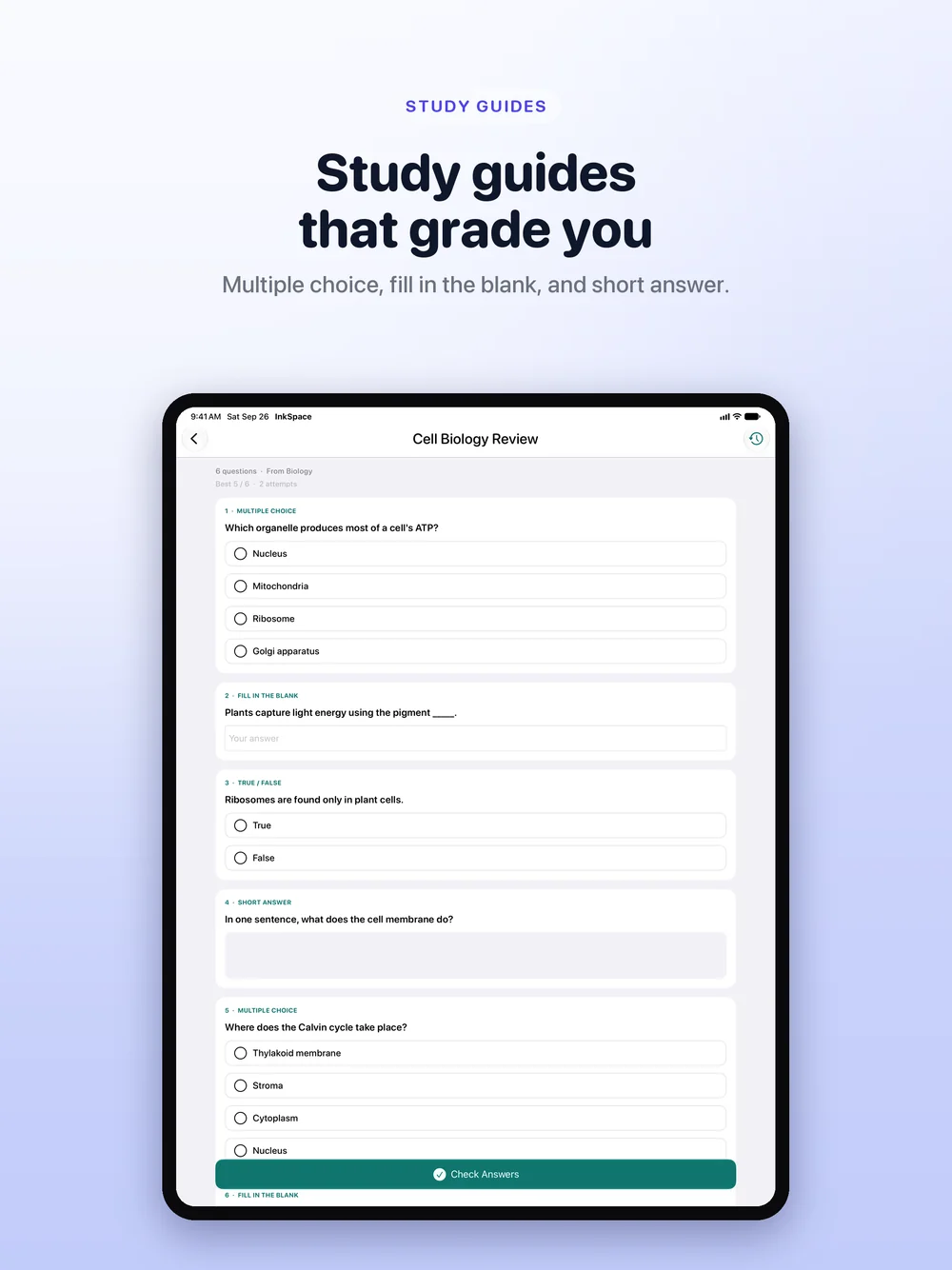
Study Guides, written for you.
Build a Study Guide from several notebooks at once.
- Multiple choice, true or false, fill in the blank and short answer
- An optional timer and a score
- An explanation for every question
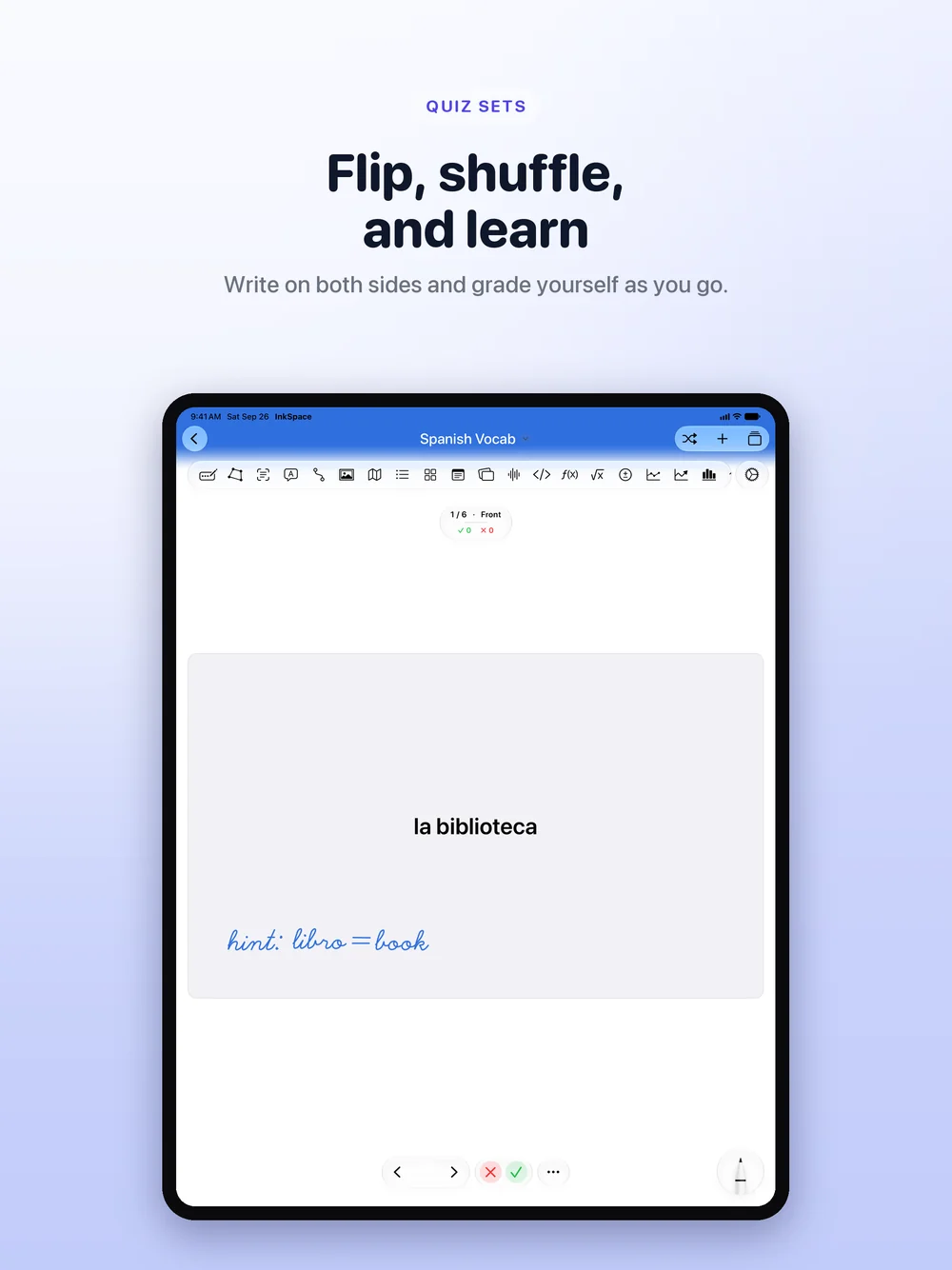
Quiz Sets from your notes.
Generate a Quiz Set from any notebook, or write both sides yourself.
- Shuffle, flip and swipe to grade yourself
- Handwritten or typed cards
- Scores sync across your devices
Every AI feature runs on Apple's on-device foundation models. No InkSpace server, no API key, no third-party model, and your notes are never uploaded or used for training. AI study tools need an Apple Intelligence capable device on iOS 26. Everything else works on iOS 17 and later.
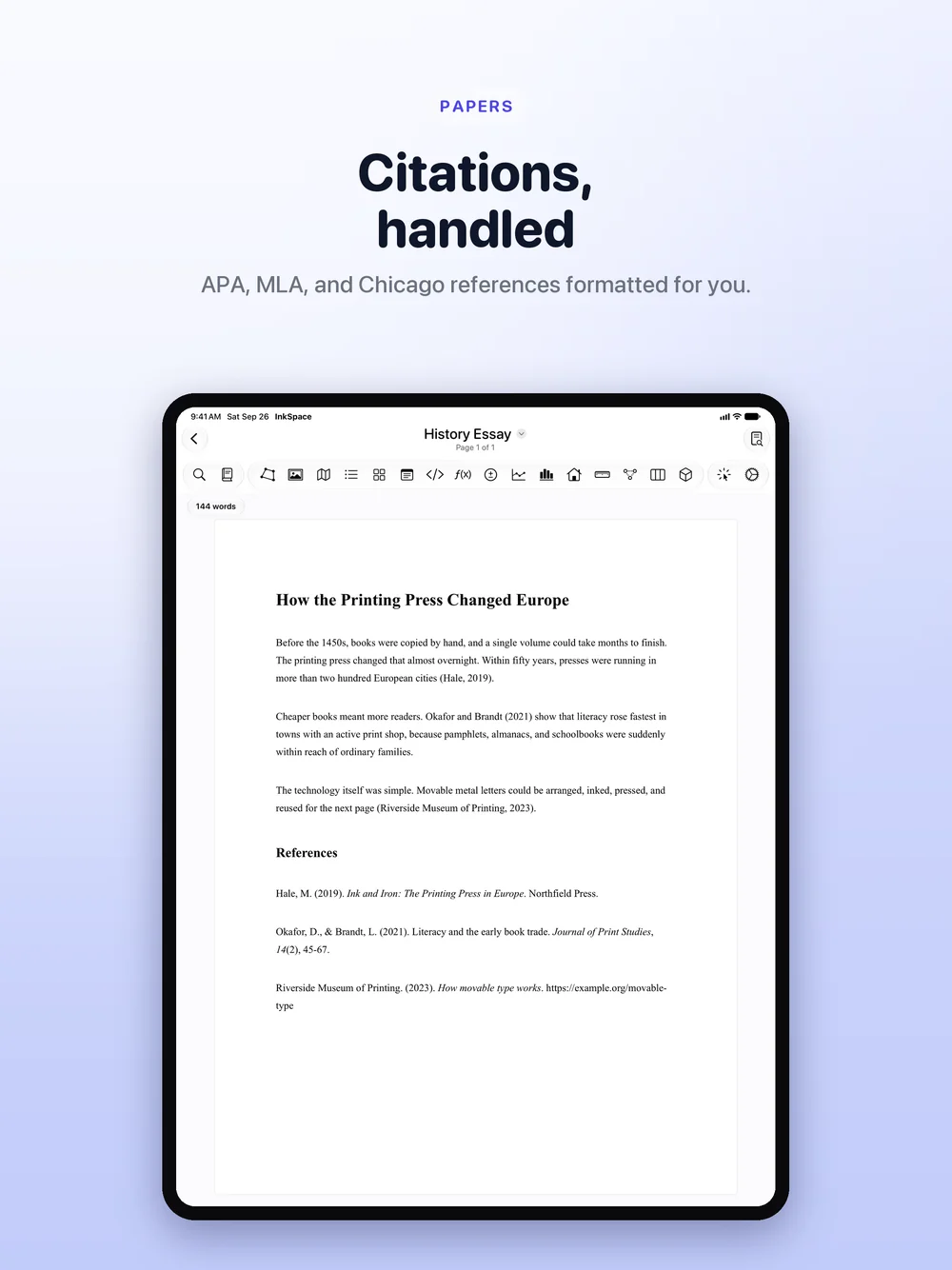
Write the paper, not just the notes.
Real margins, real point sizes, live word and page counts, and footnotes that renumber themselves.
- Paste a DOI, ISBN or URL and the source fills itself in
- Switch between APA 7, MLA 9 and Chicago and every citation reformats
- References, Works Cited or Bibliography built at export
- Export to PDF or a real Word .docx
Your notes stay yours.
No account, no sign-up, no server holding your notes and no data collected. Even the AI runs on your device.
No account
Open the app and start writing. There is nothing to sign up for.
Your own iCloud
Notes sync through your iCloud, and everything still works with iCloud off.
On-device AI
Apple's local models. Your notes are never uploaded, shared or used for training.
Lock Notebook
Lock any notebook behind Face ID, Touch ID or a passcode.
Start on any paper.
A4, A5, B5, US Letter or your own size, in portrait or landscape, with your own page and accent colours.
Write on PDFs
Import a PDF and write straight onto it, or change any single page's template.
Custom Template Lab
Turn any image into a template and share it, or pick up Planner, Journal, Fitness, Teaching and Finance packs in the Template Store.
Infinite & Fractal Canvas
Pan forever on the Infinite Canvas, or keep zooming in on the Fractal Canvas with nothing ever blurring.
Free to start. Yours to keep.
No subscription. No ads. No tracking.
Free
Everything you need to take notes
$0
forever
- Three notebooks and one Quiz Set
- Every page type and every object
- Handwriting search, iCloud sync and sharing
- PDF export with a small InkSpace footer
- No account, no ads, no tracking
InkSpace Pro
The whole app, one purchase
$9.99
one time
- Everything in Free, plus:
- Unlimited notebooks and Quiz Sets
- Papers with automatic bibliographies
- On-device AI: Ask My Notes, Study Guides and generated Quiz Sets
- Import and mark up PDFs
- Infinite & Fractal Canvas
- Custom Template Lab and per-page templates
- No export watermark
Template Packs
Ready-made templates from the Template Store
$0.99
per pack
- Planner, Journal, Fitness, Teaching and Finance
- Learn to Write tracing sheets
- Add to any existing notebook
- One-time purchase, yours to keep
Students, professionals and teachers.
Students
Lecture notes, math and science homework, recorded classes and a Quiz Set for every exam. Search finds your handwriting, so revision starts with one query.
Professionals
Meeting notes, project diagrams, marked-up PDFs and quick calculations in one place, synced across iPad and iPhone through your own iCloud.
Teachers
Lesson plans and grade books from the Teaching pack, Presenter Mode for teaching straight from the page, and read-only sharing for handouts.
Frequently asked questions
Is InkSpace free?
Yes, and it is a real notebook rather than a trial. Free gives you three notebooks and a Quiz Set with every page type, every object you can drop on a page, handwriting search, iCloud sync and notebook sharing. Pro is a single $9.99 purchase that opens the rest: unlimited notebooks, unlimited Quiz Sets and Study Guides, PDF import and markup, the Infinite & Fractal Canvas, the Custom Template Lab and watermark-free export.
Is there a subscription?
No. Pro is a single purchase you keep, and Template Packs are $0.99 each. There is no recurring charge of any kind.
Do I need an account?
No. There is no sign-up and no InkSpace server. Your notes live in your own iCloud and on your device, and everything still works if you turn iCloud off.
Do I need Apple Intelligence?
Only for the AI study tools: Ask My Notes, generated summaries, generated Quiz Sets and Study Guides. They run on Apple's on-device foundation models, so they need an Apple Intelligence capable device on iOS 26. There is no InkSpace AI server and no API key, which is why they keep working with no network at all. Everything else, including handwriting recognition, search, Papers and citations, works on iOS 17 and later.
Can I get my work out of the app?
Yes. Export pages and Papers as PDF or as a real Word .docx file, share a notebook as a file, or share it live through iCloud with edit or view-only access.
Does InkSpace work offline?
Yes. Writing, typing, every page type, handwriting search, live math, calculating tables and the on-device AI study tools all work with no network at all. The one exception is looking a source up by DOI, ISBN or URL, which checks CrossRef and Open Library. Type the details in yourself and citations format offline too. iCloud sync catches up when you are back online.
Does it work on Mac?
InkSpace is built for iPad and iPhone. It runs on Apple silicon Macs through the Designed for iPad route, but it has not been verified for macOS, and iPad is where it is at its best.
Download it free. Unlock everything for $9.99.
Every page type, handwriting search, iCloud sync and sharing, free. Pro adds unlimited notebooks, the full study toolkit, PDF markup and clean exports, for one purchase you keep.